Allocate Fee Distribution for Payments on Account
When making a client payment on account, the system automatically distributes fees between timekeepers and you can't make changes. However, turning on the company preference Use Fee Distrbn As Per User's Selection for Pymt On Account, you can distribute fees among timekeepers as desired.
-
Select File > Setup > Company Preferences.
-
On the General tab, check Use Fee Distrbn As Per User's Selection for Pymt On Account.

-
-
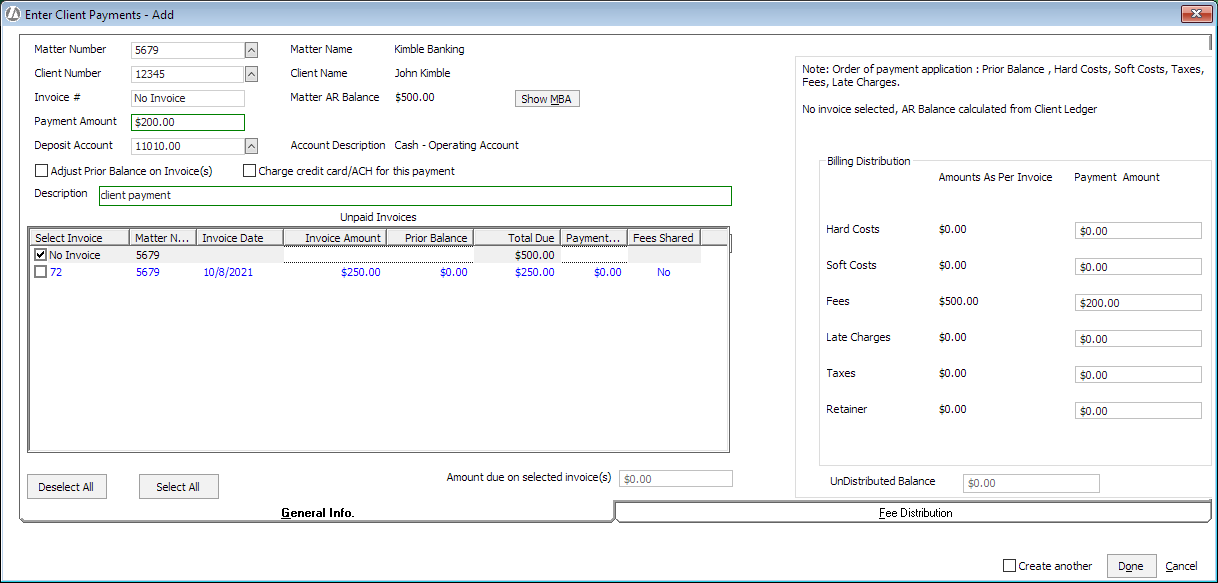
On the General Info tab, complete the fields as usual; however, select No Invoice since this is a payment on account.
-
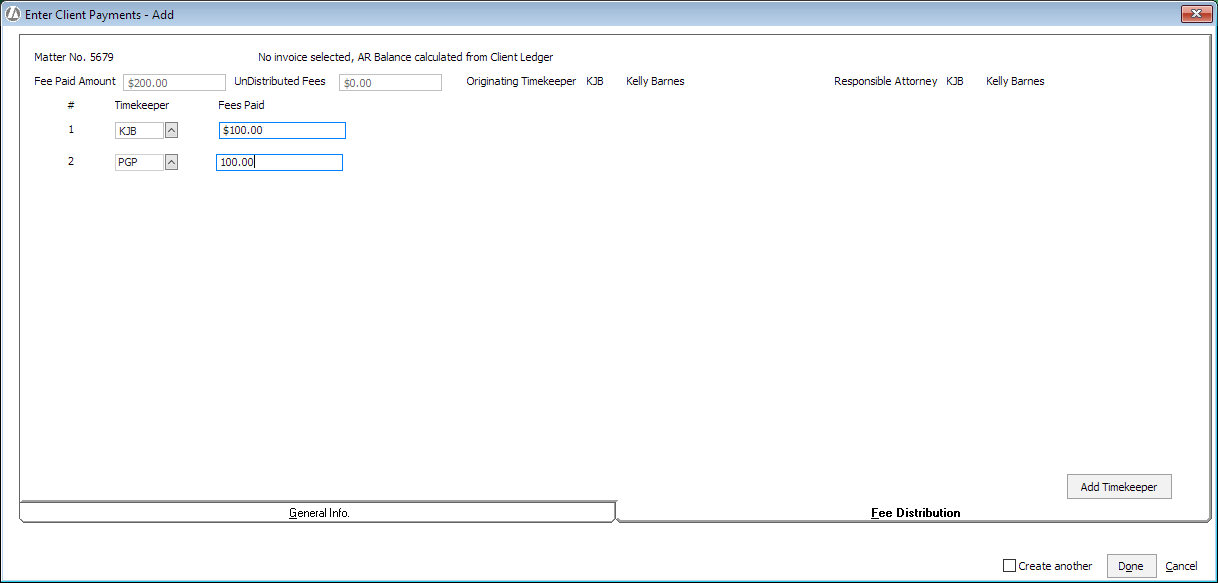
On the Fee Distribution tab, click Add Timekeeper to add timekeepers to the list. Then, enter the fee distribution as desired.
-
-
Complete and post the client payment as usual.