Importing NetSouth Data
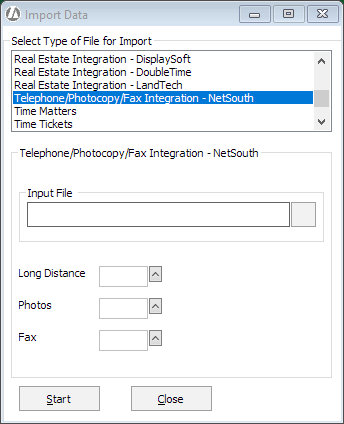
- Select File > Utilities > Import. The Import Data window appears.
-
For Select Type of File for Import, select Telephone/Photocopy/Fax Integration - NetSouth.
-
Click the browse button for the Input File box and select the file to be imported.
-
For Long Distance, Photos, and Fax, select the client expense code for each type of imported transactions.
-
Click Start to begin the import process.