Generating Trust Reports
Click here for a summary of Trust reports.
-
Do one of the following:
-
Select Reports > Trust.
-
Select Trust > Trust Reports.
-
-
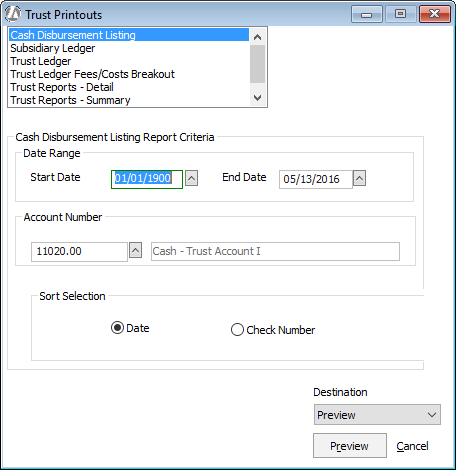
The Trust Printouts window appears. Highlight the report you want to generate.
-
Complete the report criteria specific to the selected report.
-
Under Destination, select whether you want to preview or print the report, print the report to a file, or email the report.
-
Click Preview, Print, File, or Email (depending on what you chose for print destination).